Tool Library Admin
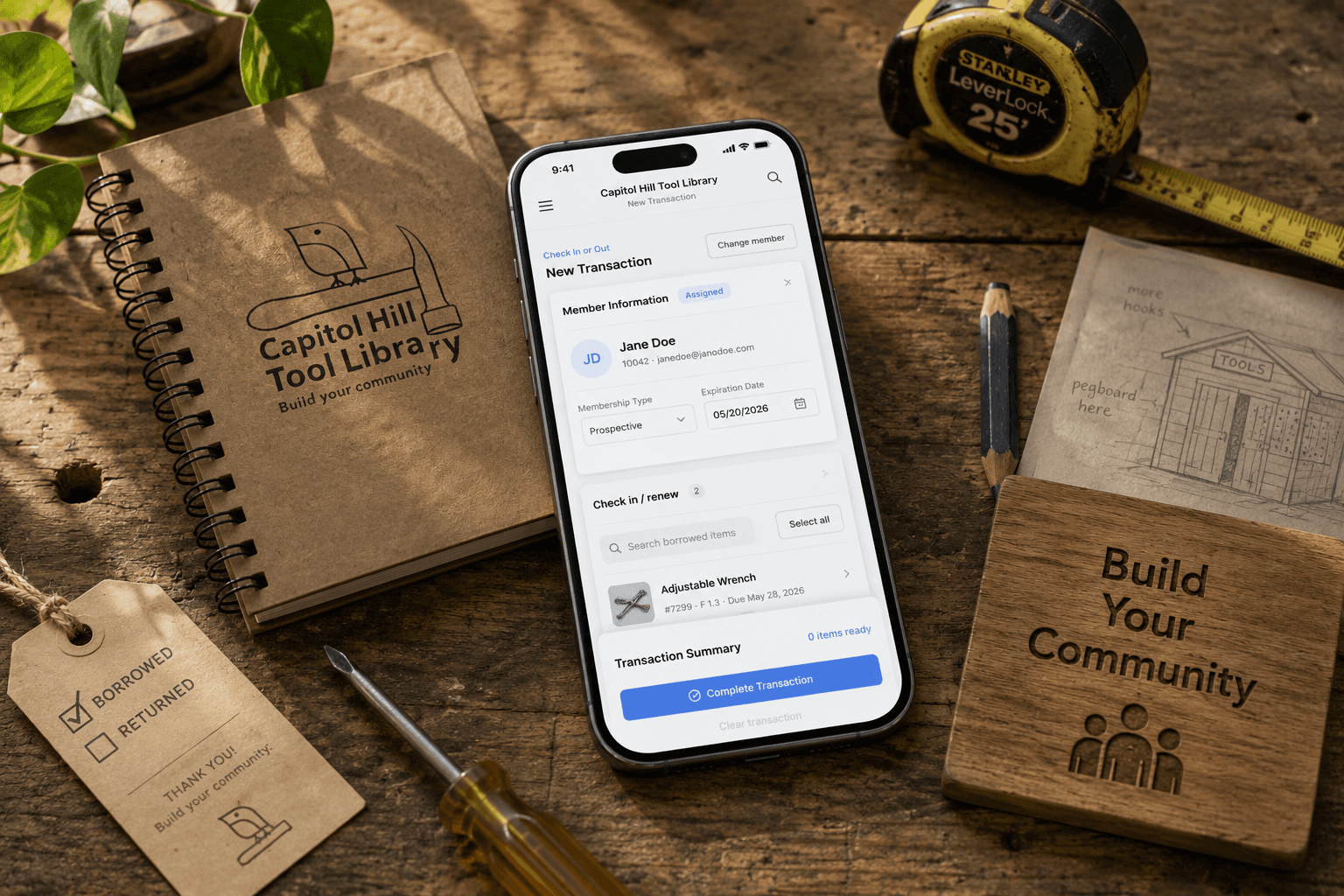
Capitol Hill Tool Library is a Seattle nonprofit run entirely by volunteers. Its existing admin platform was desktop-only and inaccessible on the phones volunteers actually used. I rebuilt the information architecture from scratch and shipped a mobile-first dashboard for inventory, loan check-in/check-out, member management, and an in-app tutorial for onboarding new volunteers. It is deployed on Vercel and supports concurrent operations across 24+ volunteers.
My Contributions
I owned the end-to-end design and front-end implementation, rebuilt the information architecture from scratch, established the design system across the codebase, and ran usability testing (n=34) on a team of one PM, one researcher, one backend engineer, one designer, and one product engineer.
Product Engineer
01.2025 - Present
Front-end Code / Design System / UX & UI Design
Capstone Contract / Cross-Functional Teamwork

Context
24 volunteers, one shared laptop, and a system no one could fix.
Capitol Hill Tool Library operates with 24+ rotating volunteers and no dedicated training staff. Operations happen at a single information desk with one shared laptop, while everyone else coordinates from their phones. The organization was locked into MyTurn, an off-the-shelf community lending platform with no room for modification.
Problem
The platform was built for nobody — and broken for everybody.
When I audited MyTurn, the issues weren’t cosmetic. The system was structurally unusable for the people who actually ran the organization. Volunteers couldn’t operate efficiently, new users couldn’t ramp up, and the off-the-shelf system gave them no way to fix it themselves.

Core Challenge & Constraints
The client asked for a prettier UI. The real problem was the UX underneath.
The original brief was a visual refresh. Once I audited the system, I found that the UI could not improve until the UX did. The hardest part of this project was narrowing the scope from “make it look better” to “fix what’s actually broken” and helping a first-time client trust that pivot.
Workflow consistency: Similar tasks should look and work the same way across the platform.
Mobile is the priority: One laptop at the info desk. Everyone else is on their phone.
Easy for new users: No 1:1 training available. New volunteers must onboard independently.

Key Solution
Four workflows. One mobile-first system. Zero training required.
Rather than skin MyTurn's existing structure, I rebuilt the four workflows volunteers actually use around three principles: mobile is the default surface, every destructive action requires confirmation, and the system teaches itself through a persistent in-app tutorial. The result is a single coherent pattern across Check In/Out, Inventory, Member Management, and Onboarding, not four separate tools volunteers have to context-switch between.


02. Member & Item Inventory
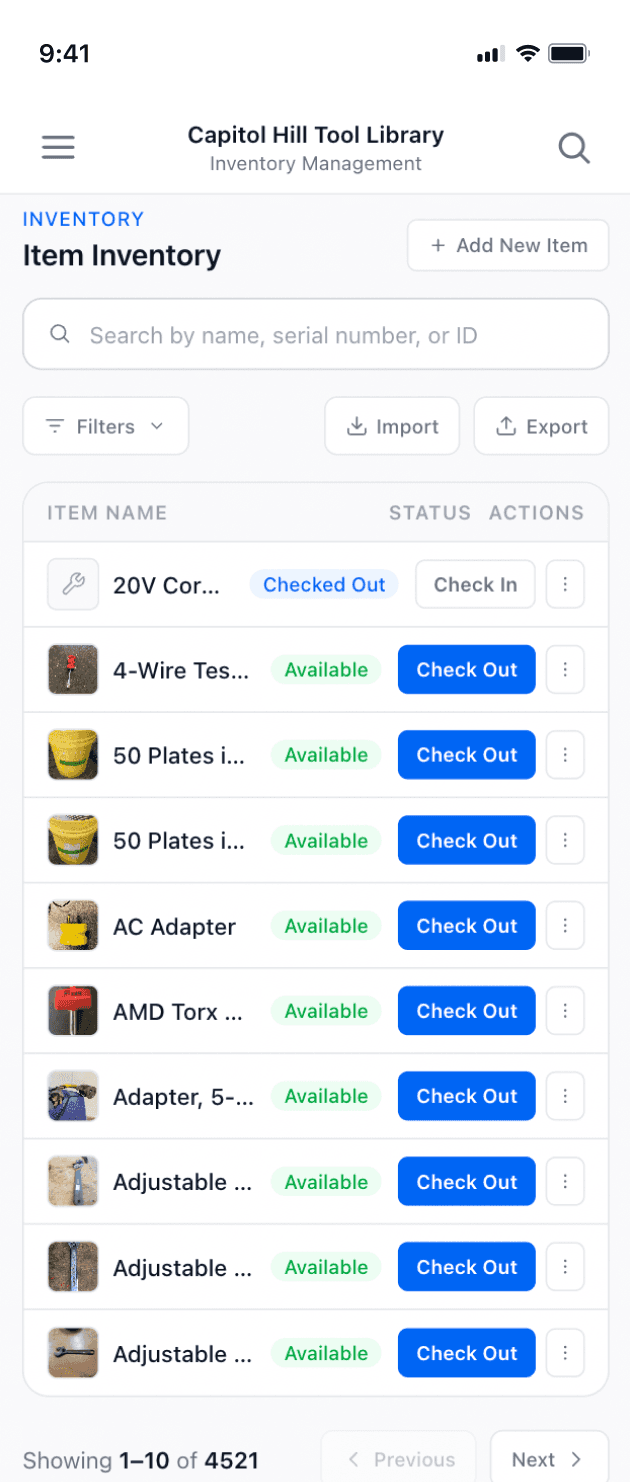
Simplified Table
Problem
Item and member tables were broken on mobile. Horizontal scrolling across many columns made them unusable.
Decision
Essential columns only. Row tap opens a bottom sheet with full detail and a quick cart action.
Result
Full detail in one tap. No horizontal scrolling.


03. Member & Item Inventory
Reduce Input Fields
Problem
MyTurn forced volunteers through 30+ form fields per entry, with most marked optional but unclear which actually mattered. Volunteers wasted time deciding what to fill, and inconsistent data made inventory unreliable.
Decision
Required fields only, with auto-generated credentials for members and auto-assigned IDs for items, removing manual input wherever the system could handle it.
Result
Faster entries, cleaner data, and a form structure volunteers can complete in under a minute without guessing what's necessary.

04. Universal Feature
Confirmation Modal
Problem
No confirmation signifier after any action. Users had no way to know if a transaction went through.
Decision
A universal confirmation modal appears after every action across the platform.
Result
Staff always know the outcome. No guessing, no double submissions.


05. New Tutorial Section
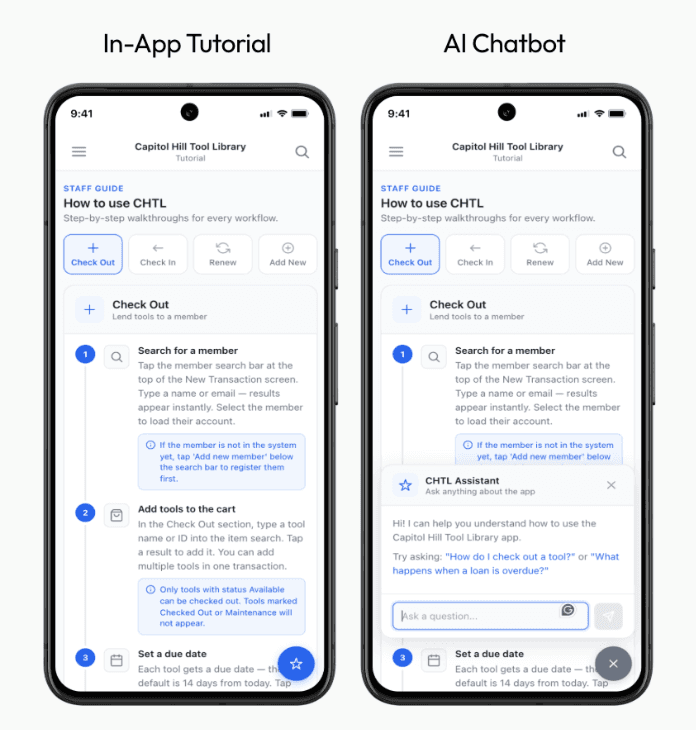
In-App Tutorial
Problem
No way for new volunteers to learn independently. 1:1 training was not scalable. Onboarding took too long.
Decision
In-app tutorial covering Check Out, Check In, Renew, and Add New
→ step by step, self-serve.
Result
1:1 training replaced by self-serve onboarding.
How I got there
Diagnose first. Design second.
Early on, a user survey pointed me toward IA. The audit confirmed it: 27 navigation items, 30+ fields, and a mega menu with 100+ item categories. Cognitive walkthroughs then surfaced what the audit could not: volunteers could navigate, but they still could not start working independently.
Diagnosing the real IA problem
The mega menu had 100 plus item categories where volunteers decided types subjectively, including irrelevant fields like clothing that came baked into MyTurn's generic inventory system. I first tried cleaning the UI without restructuring, but volunteers were still spending most of their time deciding which category to use, not actually checking items in.
I worked with the client and backend engineer to cut the list to 39 categories grounded in what the tool library actually stocks. Required fields only, generic fields removed.

The onboarding pivot
My first instinct was a standard FTUE overlay on first launch. Cognitive walkthroughs killed it: volunteers could navigate the system after the walkthrough, but infrequent volunteers returning after weeks would have no fallback once it was dismissed.
I redirected a full sprint toward a persistent in-app tutorial instead, always accessible, covering all four core workflows. The interface was already clear. The onboarding was what was missing.

Building on open source and AI
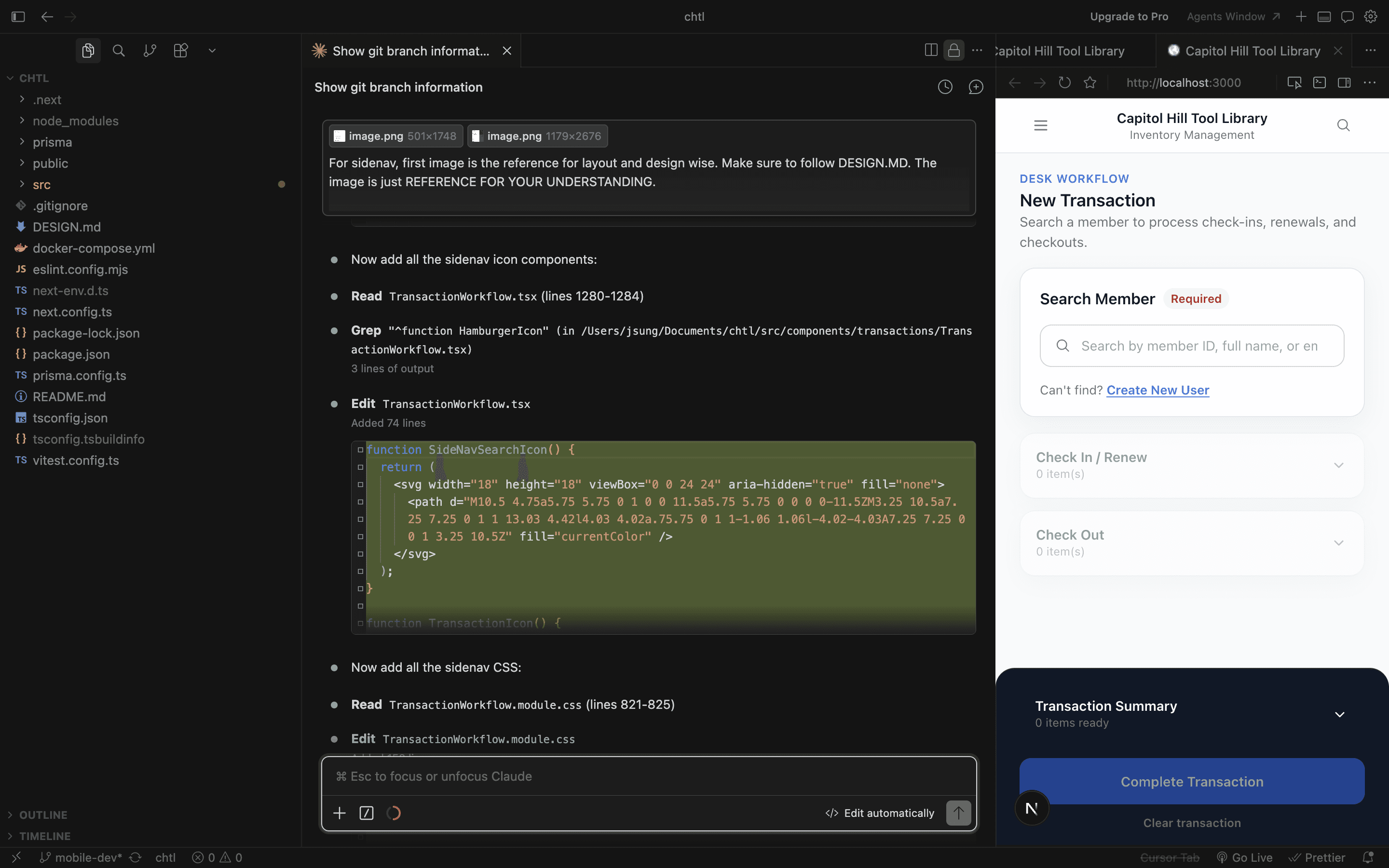
Running design and front-end in parallel as a one-person operation needed leverage. I built on Flowbite CSS instead of designing components from scratch — accessible, well-documented, and easy to customize for CHTL's visual identity without rebuilding the foundation.
For implementation, I paired Claude Code and Cursor with Figma MCP for the design-to-code pipeline. The judgment was mine. The execution was shared. That setup let me move at agency speed without an agency team.
Outcomes & Impact
From friction to fluency
Through usability testing with 6 CHTL volunteers across 5 core tasks, I validated that the rebuild measurably improved both efficiency and confidence on mobile.
Task completion time: –58% median reduction across the four core workflows (Check In, Check Out, Add Member, Add Item), measured against MyTurn baseline on the same devices.
Action errors: –72% drop in misclicks, double submissions, and abandoned transactions after the universal confirmation modal was applied across every flow.
Perceived ease (%, 5-point): +85% select 4–5 ("Agree/Strongly agree") for "I felt confident completing tasks on mobile," compared to ~15% on MyTurn.
Onboarding speed: 4.2x faster ramp-up, from 4 plus weeks of informal training on MyTurn to under 3 shifts of self-serve learning with the in-app tutorial.
These metrics demonstrate that the rebuild solved both the structural and experiential problems CHTL volunteers actually faced, not just a visual upgrade, but a measurable shift in how the team operates day to day.
Reflection
Lessons that outlived the project
Discovery is the design.
CHTL had never scoped a software project before. They knew something was painful but couldn't articulate what. The most valuable work was not in Figma. It was the working sessions where I helped a first-time client understand their actual problem, before a single screen got designed.
AI changed what one person can ship.
This project would not have been possible as a one-person operation five years ago. With Claude Code, Cursor, and Figma MCP, design and engineering stop being separate disciplines with handoffs between them. The work becomes one continuous loop, fast enough that iteration becomes the default, not a luxury.